Windows 11, Microsoft Edge and many other products are increasingly secure. One big challenge that is not handled by Windows 11 Secure by default is LOLBins – Living On the Land Binaries.
LOLBins (Living Off The Land Binaries) are legitimate Microsoft-signed executables that are built into Windows. While these tools are designed for administrative and system management tasks, threat actors can abuse them to perform malicious activities without deploying traditional malware.
Because LOLBins are trusted components of the operating system, their use often appears normal to security controls, making them an attractive option for attackers who want to evade detection and blend into everyday system activity.
Why do attackers use LOLBins?
Attackers leverage LOLBins because they can:
• Evade traditional antivirus and malware detection
• Bypass application control and allow-listing policies
• Blend in with legitimate administrator activity
• Reduce the need to introduce custom tools or malware
• Abuse trusted Windows functionality to execute code, download content, or move laterally within an environment
LOLBins should be blocked by using App Control for business or AppLocker for example. Many organizations do not block these binaries because the do not have any tool deployed to do it.
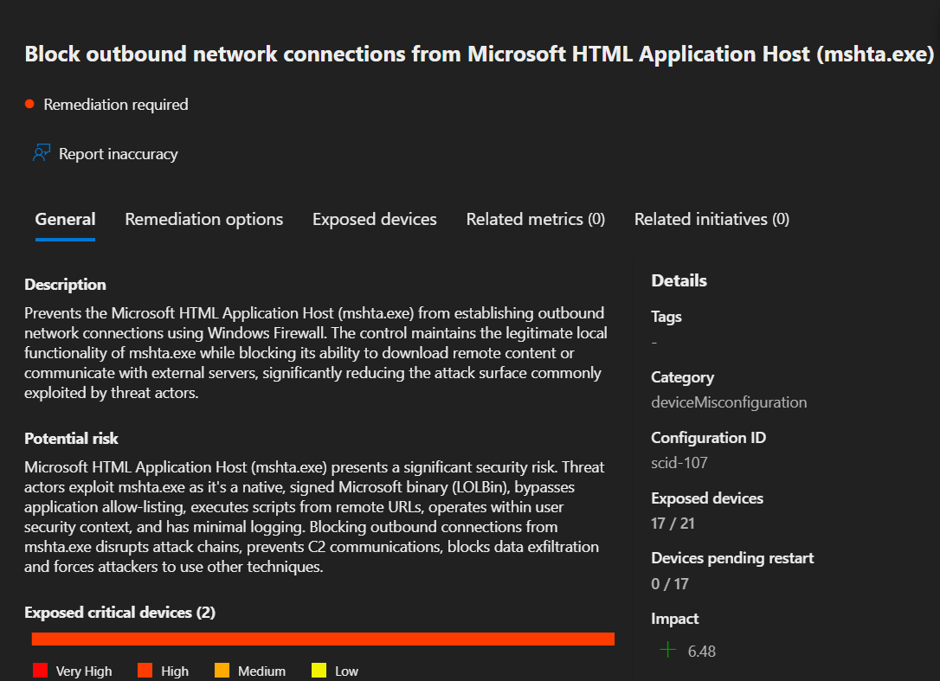
Microsoft posted a recommendation to block MSHta.exe in Defender
Why block SSH?
What we see is that ssh.exe is being used as a proxy and to download payloads and binaries on victim’s computers. So why not simply use Windows Firewall to block outgoing traffic from ssh.exe as well for example? How many normal office workers use the built-in ssh.exe in their day-to-day work?
Let’s block it!
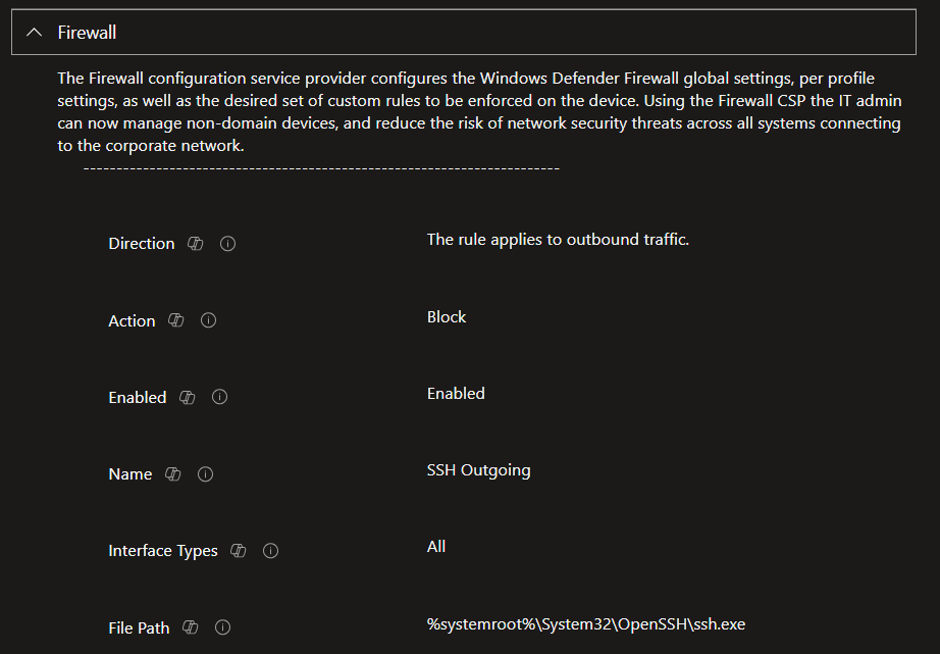
Exactly like we block mshta.exe using Windows Firewall we block ssh.exe.
We create a new Windows Firewall rule in Intune with the following properties.
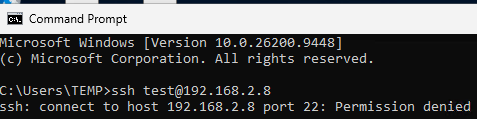
How can we verify it is blocked?
We can always test on a device and verify that we cannot connect anymore.
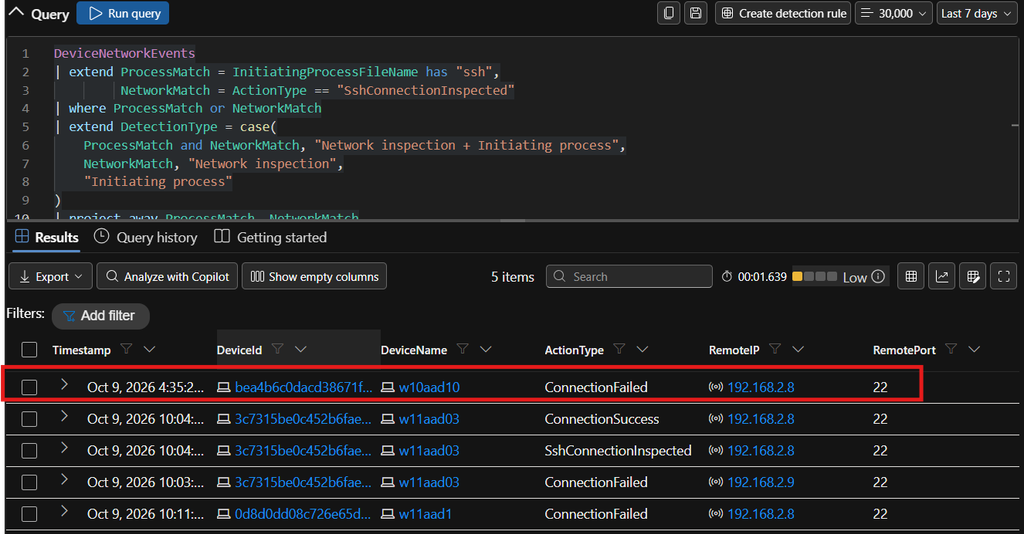
If we have defender for Endpoint P2 we can of course use Advanced hunting to verify that the Firewall rule works with a query like the one below.
Conclusion
We need to take the LOLBins seriously and block the use of them, SSH.exe can be used to launch other local applications and much more, we cannot block that with the Windows Firewall.
If a user needs to use SSH, make sure to open the Windows Firewall to the IP Adress that user should use it for an noting else.
Develop a way to block the LOLBins as part of your Windows Client hardening strategy.