Edge Management service provides some great insights and features that we don’t get when we manage Edge using Intune for example and the best thing it is Free.
That is also why the Edge Management UI is in the Microsoft 365 Admin portal and not in the Intune portal. There are many interesting features that I will dive into in later blogposts. Microsoft Edge is now the most important application in our organization’s as increasingly business critical applications are web based.
But let’s start with what everyone can/should enable in Edge Management service – Monitoring.
Background – what is the Edge Management Service?
The Microsoft Edge Management Service (EMS) is Microsoft’s cloud-based browser management platform for Microsoft Edge for Business. It allows administrators to manage Edge settings, security policies, extensions, AI controls, branding, and reporting from the Microsoft 365 Admin Center rather than relying solely on Intune or Group Policy.
For someone working with Intune and managing Microsoft Edge using Intune today, the key value is that it provides:
- Cloud-based Edge policy management
- Cross-platform support (Windows, macOS, iOS, Android)
- Extension inventory, approval, and blocking
- Browser security and version reporting
- Organisation branding
- User-based targeting (policies follow the user across devices without MDM enrolment)
- Zero-day support for new Edge settings, often before Intune exposes the same settings
Why use it instead of only Intune?
Not saying we should, but we can solve some scenarios we cannot when using Intune to manage Microsoft Edge, for example:
- BYOD devices
- Devices managed by another tenant
- Platforms where you need new Edge settings immediately
The Edge Management Service applies policies directly to signed-in Edge profiles and can manage browsers even when traditional MDM management is not available.
Note: It is always requires that the user sign-in in Edge for the policies to apply even if we use a token to deploy a policy to a device instead of user targeting.
Microsoft Edge Monitoring
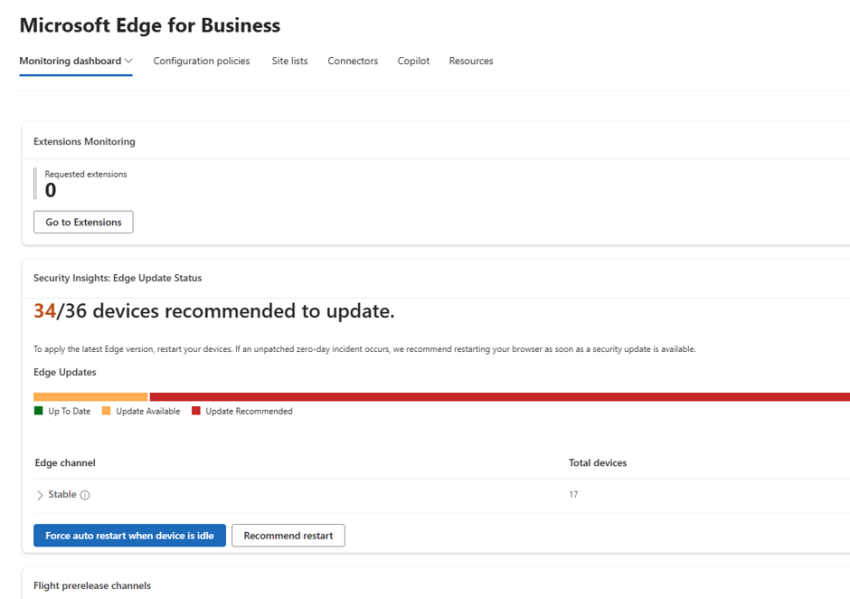
The new monitoring experience is now live in all tenants without having to opt-in to targeted release, it provides some nice insights:
- Installed extensions
- Requested extensions
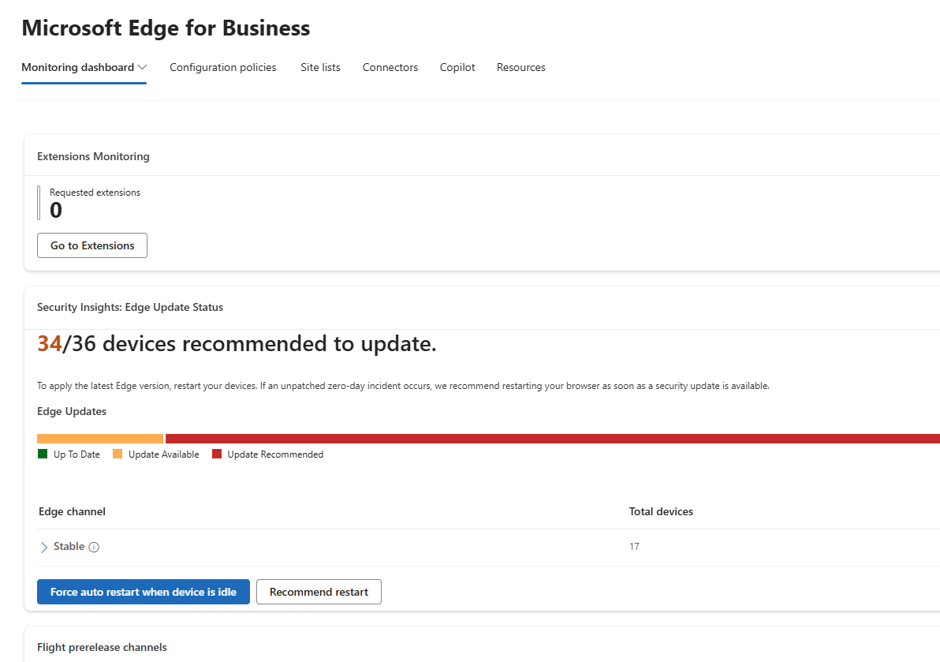
- Edge version reporting
- Flight prerelease channels in use
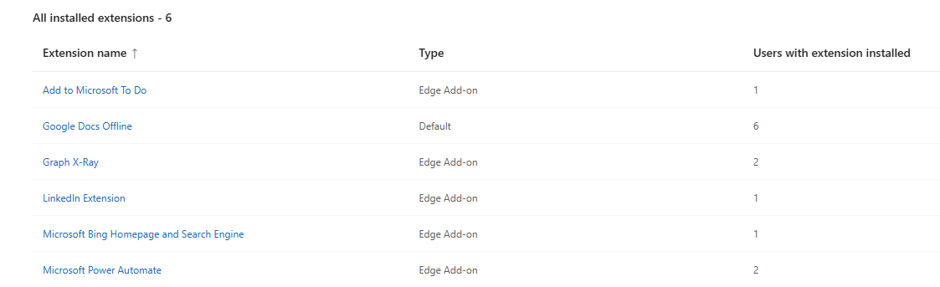
Inventory of extensions is a good feature even if we strictly allow which extensions are allowed to be installed, we can now see what extensions is being used.
Enable Microsoft Edge Monitoring
Enable Monitoring in Microsoft Edge Management Service:
Open the Microsoft 365 Admin Center.
Navigate to Settings → Microsoft Edge.
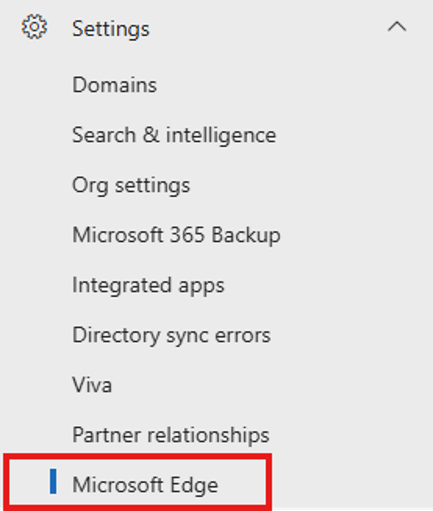
Open the Monitoring Dashboard.
By the default reporting is not enabled. It will look like this
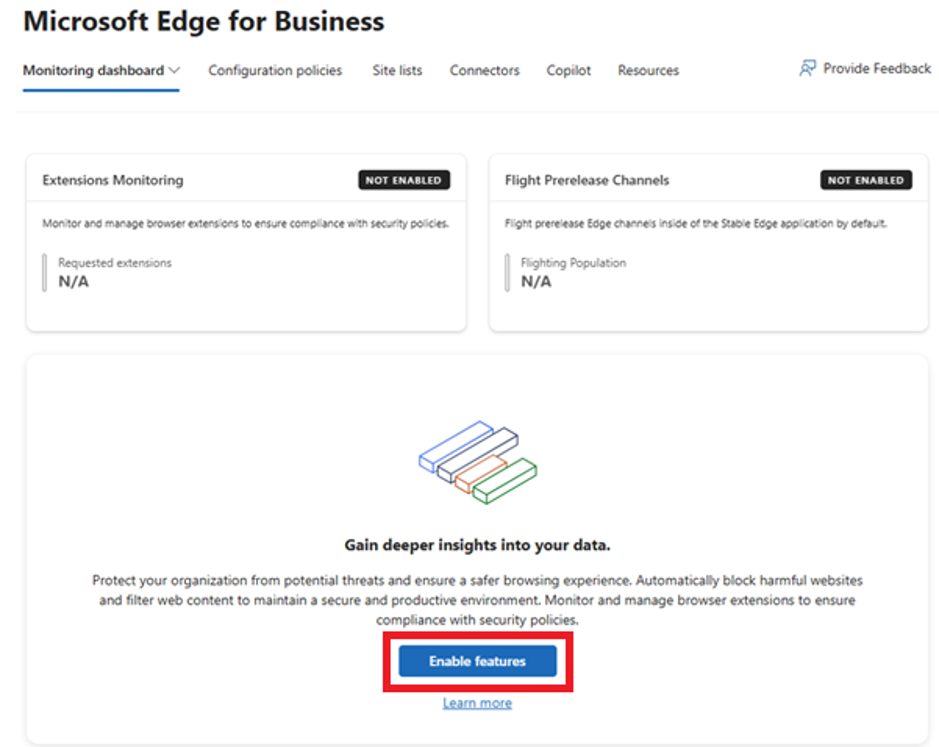
We simply select “Enable Features”
Enable your dashboard by collecting and sending diagnostics data to Microsoft. This is disabled by default and must be enabled before any device insights are collected.
Including “Share page URL data” is something you should first verify with your information office depending on your privacy rules and compliance requirements.
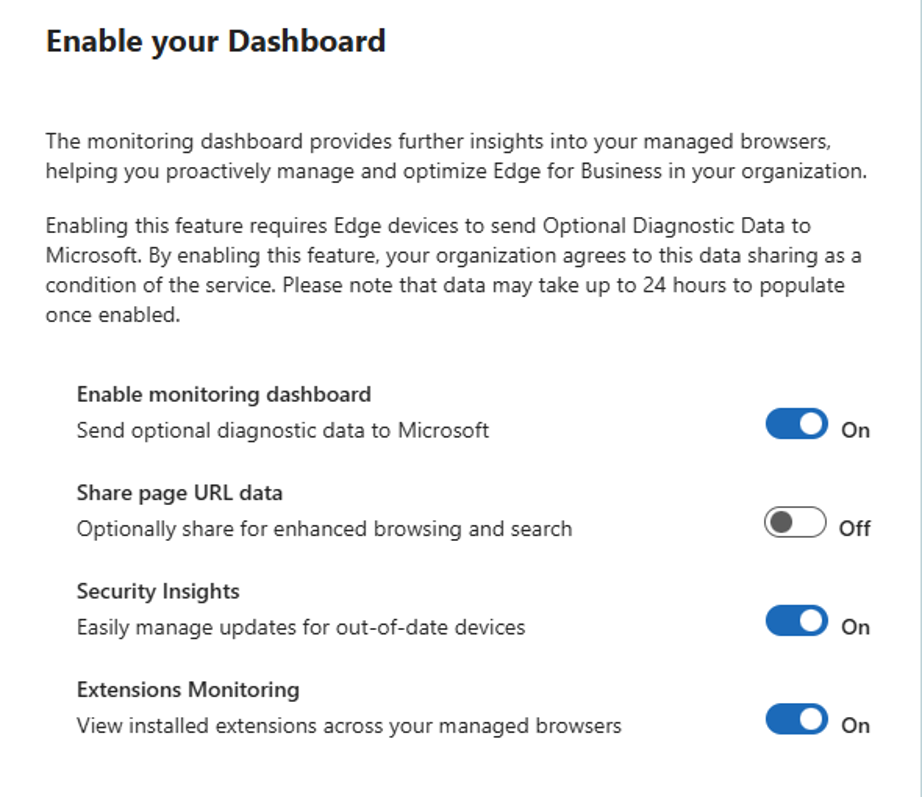
Once that is enabled and the users sign in to Microsoft Edge, we get the data collected and presented in the dashboard. If we look at the policies in Edge device that is signed in, we can now see the policies to collect the data is configured.
In the Edge Management blade, we now also have one Configuration Policy created. Targeted to the Tenant.

On the device we can now see the policy has been applied in Edge as well.

It will take a while for the dashboard to populate; it can be forced from a device by pressing the “Upload Extensions Report” on the Edge://policy page in the browser.

The monitoring dashboard once it is populated.
In the Extension reporting tab we now see installed extensions from our devices.
Conclusion
As this feature is free to use and Microsoft Edge extensions are always a huge discussion point, from user needs to security, this is something that I think all organizations should utilize to get insight in how Edge is updated and which extensions are in use.