Windows Backup for Organizations is one of my favourite new features as it saves time for the end-users setting up their device after a restore or when they switch computer. For the end-user this is great and together with Onedrive known folder move and Enterprise State roaming the experience is great.
With first sign in support released it works in more scenarios, Windows 365 for example but also together with the newly re-released feature to install Quality Updates during OOBE in Windows it solves any reset done using an “older” Windows version that doesn’t support Windows Backup for Organizations. Example:
– Wipe device
– Older Windows 11 comes down from vendors restore service
– Restore Settings during autopilot is skipped as it is an old version
– Quality updates are installed during Autopilot process
– During first sign in the end-user is asked to restore settings.
Great that this scenario is covered as well.
Now to what I was supposed to write 😉 Windows backup for organizations uses as Schedule task to perform the backup every 8 days.
As it is a schedule task, we can simply trigger that task using a remediation script from Intune to make sure we have an up-to-date backup before wiping a user’s device.
If we compare to only using Enterprise State Roaming, which we still can use to backup some settings as a compliment to Windows Backup for Organizations, we cannot backup up the installed store applications, as it requires a Microsoft Account if we don’t use Windows Backup for Organizations.
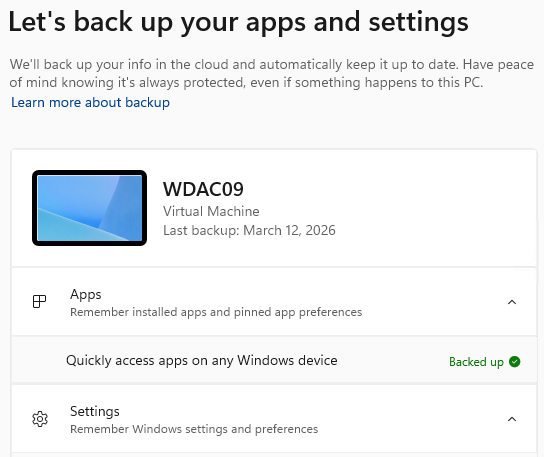
The schedule task we want to trigger, we can also see that the 8 days interval is correct.

Remediation script
As with all remediation script we should use scope tags to make sure ServiceDesk and other admins we have in Intune only can run the remediations we want them to run.

The script itself can also be downloaded from Github: https://github.com/Ccmexec/Remediation-Scripts
Detection script:
<#
Version: 1.0
Author: Jorgen Nilsson (ccmexec.com)
Script: WindowsBackup-Detect.ps1
Description: Run Windows Backup
Hint: This is a community script. There is no guarantee for this. Please check thoroughly before running.
Version 1.0: Init
Run as: Admin
Context: 64 Bit
#>

# Always trigger
Write-output "Script will always be triggered"
exit 1
Remediation script:
<#
Version: 1.0
Author: Jorgen Nilsson (ccmexec.com)
Script: WindowsBackup-Remediate.ps1
Description: Initiate a Windows Backup
Hint: This is a community script. There is no guarantee for this. Please check thoroughly before running.
Version 1.0:
Run as: User
Context: 64 Bit
#>

$tasks = @(
    @{ Path = '\Microsoft\Windows\CloudRestore\' ; Name = 'backup' }
)

foreach ($t in $tasks) {
    try {
        $task = Get-ScheduledTask -TaskPath $t.Path -TaskName $t.Name -ErrorAction Stop
        if ($task.State -ne 'Running') {
            Start-ScheduledTask -TaskPath $t.Path -TaskName $t.Name -ErrorAction Stop
            Write-Output "Started task '$($t.Path)$($t.Name)'."
        } else {
            Write-Output "Task '$($t.Path)$($t.Name)' is already running."
        }
    } catch {
        Write-Output "Failed to start task '$($t.Path)$($t.Name)': $($_.Exception.Message)"
        exit 1
    }
}
Maybe not the most important thing to do before wiping a users device but it could turn out to be useful.